Computer Skills for Young Children
Why is it important?
We now live in a day and age where technology permeates almost every aspect of society. Adults work with a desktop, students complete assignments on laptops, and even primary school children fill in worksheets on iPads.
Computer literacy is therefore an essential skill that children need in order to maneuver through a society that is abound with technology.
By introducing them early to computer education, we can not only prepare them for a the future, but also impart them with important skills such as critical thinking, creativity and problem-solving. Don’t get this wrong - computer education can by no means replace traditional forms of learning such as reading and writing, but a proper integration of the two can create a meaningful learning experience for your child.
- Age of the child
The American Academy of Paediatrics (2011) recommends that digital media should not be used with children younger than 2 years old. This is because children younger than 2 years old require physical and social interaction with their parents in order to develop crucial cognitive, language, motor and socio-emotional skills. At this age, they lack symbolic, memory, and attentional skills which make it difficult for them to learn from digital media.
- Computer care
Children should be taught first and foremost the right way to treat a computer. This includes an understanding that food or drinks should not come into contact with the computer and that all parts of the computer should be treated gently (e.g. no pounding or throwing the mouse around). Establish these rules clearly before allowing your child to use the computer and monitor them to ensure that they are treating the computer with care and respect.
- Teach your child how to use a mouse
The mouse is the most essential component of a computer as it allows one to select and navigate programs on the computer. Hence, teaching your child how to use a mouse is the first major step in learning how to use a computer.
Step 1: Install a mouse on your computer if you have not already done so. This is because the physical clicking action of a mouse helps a young child to remember the mouse function better than touchpad of a laptop.
Step 2: Adjust the speed of your mouse to a slower speed. A slower mouse speed can help young children become more familiar with the functions of the mouse, whereas a higher mouse speed may be confusing for your child. This is especially so if you are teaching a toddler who is still developing motor skills.
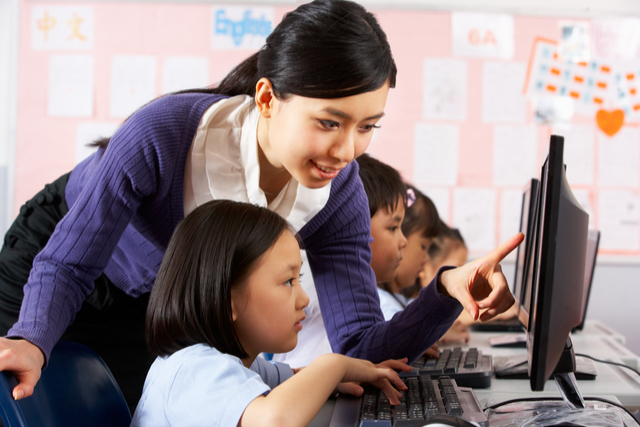
Step 3: Teach your child how to hold and use a mouse. First, demonstrate to your child how to use a mouse by guiding his/her hands on the mouse and doing simple tasks like clicking and dragging. Then, allow your kid to do it himself while sitting next to him to correct any of his mistakes.
- Teach your child how to use a keyboard
The keyboard is the second most important function of using a computer as it allows us to type words. Teach your child the proper way of positioning their hands over the keyboard instead of the two-fingered typing (aka ‘hunt and peck’ method) where the child presses each key individually.
Here are some free typing programs/games that can help your child in learning how to type words and construct simple sentences.
- Keyboarding Zoo: http://www.abcya.com/keyboarding_practice.htm
- KidzType: https://www.kidztype.com/browse-typing-games.html
- Dance Mat Typing: http://www.bbc.co.uk/guides/z3c6tfr
- Computer Games
Computer games are a great way to teach your kids computer skills as they provide entertainment for your children while helping them to familiarize themselves with the functions of the mouse and keyboard.
For example, matching games require kids to use the mouse to match objects while developing their cognitive capabilities. Art games require kids to select colors, shapes and sizes; they allow your child to be creative while still honing their computer skills. It’s a win-win situation! (Besides, which child doesn’t like a game?)
- Teach your children how to use the Internet for learning purposes
There is a plethora of information on the Internet that can be educational for children while fortifying their computer skills at the same time. Teach your child how to type keywords into search engines like Google. For example, if a kid asks you about cows, you can teach them how to key in “food for cows”. The availability of multimedia sources on the Web means that your child can learn about a topic using various ways – video, images, podcasts and articles.
Bonus Tips
- Use a mouse and keyboard designed for kids. Kid-friendly computer kits are color coded and have a simpler keyboard interface. They not only hold the attention of your child, but also prevent them from damaging your expensive computer.
- Protect your children from inappropriate content such as pornography using the SafeSearch setting.
- Limit your child’s computer time to less than 2 hours a day. Parent-child interactions centered around real life hands-on experiences such as free play and book reading are more beneficial for infants’ and toddlers’ development than engagement with digital media.
- Remember to be patient at all times. Your child is still in the process of developing motor and cognitive skills, so they will need time to learn.
It takes a village to raise a child !
Join our Facebook group Preschools & Kindergartens in Hong Kong to interact with other parents.